
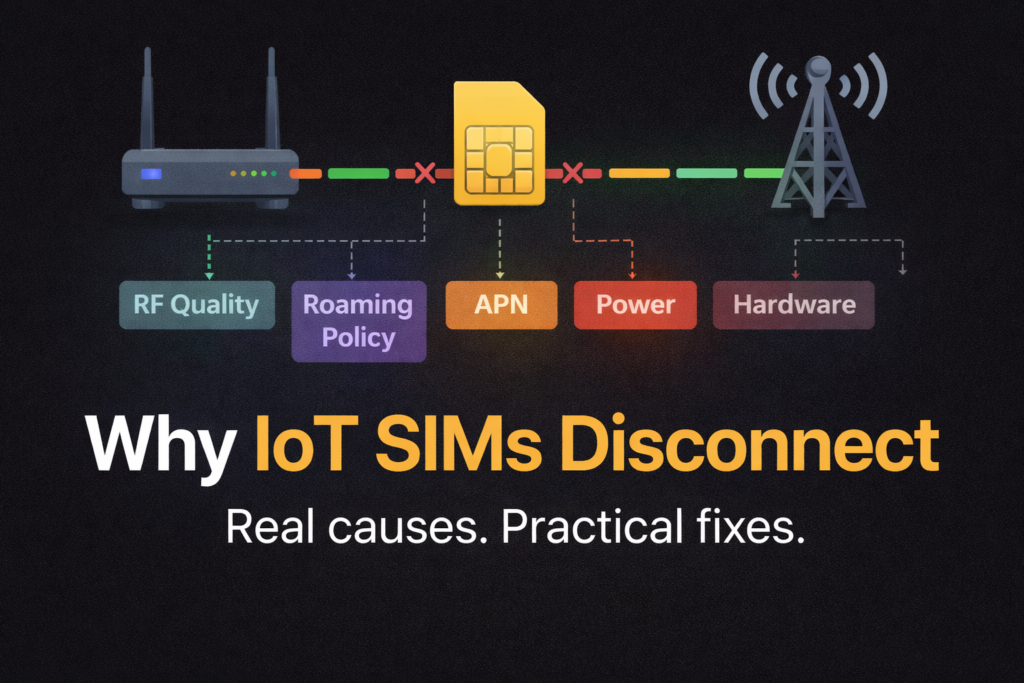
What actually causes dropouts in real-world IoT deployments, and what you can do about them
Cellular IoT has been sold for years as “deploy anywhere, it just works”. Sometimes it does. More often, it works until it doesn’t, and the failure looks random: a device that’s been solid for weeks drops off at 03:00, comes back at 03:17, then does it again two days later. The SIM gets blamed. The router gets rebooted. The installer drives out, swaps hardware, and it still happens.
Here’s the uncomfortable truth: most IoT disconnects are not SIM faults. They are the natural outcome of how cellular networks behave, how IoT devices register and stay attached, and how real deployments (metal cabinets, basements, remote plant rooms, power wobble, long cable runs, cheap antennas, roaming policies) interact with that reality.
This article is written as an evergreen reference. It’s deliberately not “salesy”. It’s here to explain what’s really happening, why the industry’s promises often mislead, and how you reduce disconnects in practice without pretending you can eliminate them entirely.
What “disconnect” really means in IoT
People use “disconnect” as a catch-all. In reality you might be seeing one of several different failure modes:
- Radio link issues: the modem can’t maintain a usable connection to the cell (quality collapses, interference spikes, reselection loops).
- Network attach / registration problems: the device drops off the network and fails to re-attach cleanly.
- Packet data session drops: the device is still registered, but its data session (PDP context in 2G/3G, EPS bearer in LTE, PDU session in 5G) is gone or broken.
- IP path issues: the data session exists but traffic fails due to routing, firewall rules, NAT timeouts, DPI, or VPN tunnels.
- Back-end visibility issues: the device is online but your cloud platform marks it offline because keepalives stopped or a socket died.
That distinction matters because the fix depends on the layer that failed. A “SIM refresh” in a portal will not fix a broken antenna connector. A router reboot will not fix a roaming policy restriction. And buying a “better SIM” will not overcome a site with poor SINR in a steel cabinet.
At the standards level, a lot of this behaviour lives in the NAS (Non-Access-Stratum) procedures and mobility management logic, which are defined for LTE/EPS and 5G. The details are complex, but the practical takeaway is simple: cellular is a managed, stateful system. State gets lost. Timers expire. Policies kick in. The network and device constantly renegotiate whether the relationship should continue.
The myth: “If you buy the right IoT SIM, disconnects go away”
There are good reasons to use purpose-built IoT SIMs:
- better provisioning and support tooling
- roaming agreements designed for machines, not phones
- options for private addressing, static addressing, APNs, and traffic policies
- more predictable lifecycle management
But even the best SIM does not change the laws of RF, it does not override local network congestion, and it does not guarantee that a visited network will accept long-term roaming.
A SIM is an identity and policy container. It can improve the probability of a good outcome, but it cannot guarantee it. Treating SIM choice as the main reliability lever is one of the biggest misreads in the market.
Root cause group 1: Signal quality, not signal strength
RSSI/RSRP vs SINR: why “bars” lie
Installers love signal strength because it’s easy. Engineers care more about quality because it predicts stability.
- RSRP (LTE/5G) / RSSI tells you how much signal is arriving.
- SINR (or SNR) tells you how usable that signal is in the presence of noise and interference.
A device can show “decent signal” but still disconnect because SINR collapses. This happens constantly in the real world, especially when you’ve got:
- reflections and multipath in industrial sites
- interference from other cells or sectors
- poor antenna placement (indoors, behind metal, near electrical noise sources)
- long coax runs with high loss
- mixed antenna types or bad MIMO setups
When SINR dips, the modem has to work harder: lower modulation, more retransmissions, higher latency, more errors. Eventually the link becomes unstable, and you see the classic IoT pattern: brief dropouts, then longer outages, then the device gets stuck cycling between cells.
“It disconnects at the same time each day”
That’s often not the SIM. It’s the cell.
Cells are living systems. In busy areas, throughput and quality can change dramatically by time-of-day. Think commuter peaks, shift changes, school run, retail hours. Even “rural” sites can suffer if the serving cell gets loaded by a nearby event, temporary works, or a change in local user behaviour.
A marginal deployment can look fine at midday and fall apart in the evening. The SIM didn’t change. The RF environment did.
Metal cabinets, plant rooms, basements: the silent killer
Most IoT deployments are not in open-air rooftop conditions. They’re in places humans barely think about:
- meter cabinets
- underground BMS panels
- steel kiosks
- pump houses
- substations
- comms cupboards next to switchgear
You can get “some” signal in these environments, which is the trap. It’s enough to register, enough to pass a speed test once, and then it drops because the link has no margin.
Margin is everything. Stable IoT connectivity needs headroom for the bad moments, not just the good ones.
Root cause group 2: Network selection, reselection, and mobility behaviour
A device does not simply “stay connected to the best network”. It follows selection rules. The network may influence those rules. And the device may be forced to reselect due to changing radio conditions.
This is where you see behaviours like:
- “It keeps flipping between two networks”
- “It jumps bands and never comes back”
- “It registers but data fails”
- “It works after a reboot only”
At a high level, these behaviours are governed by mobility management and NAS procedures in the standards.
The hidden problem: unstable cell edges
IoT often lives at the edge of coverage. That’s where the network is deciding, every moment, whether you belong to Cell A or Cell B. If the device sits in a location where both cells are borderline, it can get stuck in a loop:
- Attach to Cell A
- Quality drops
- Reselect to Cell B
- Data session glitches
- Cell B degrades
- Reselect again
- Repeat
From the outside, it looks like “random disconnections”. From the network’s perspective, the device is doing exactly what it’s supposed to do. It’s just operating in a hostile RF zone.
Root cause group 3: Roaming, permanent roaming, and why the rules feel arbitrary
If you sell or support multi-network IoT SIMs, you’ve seen it: a device roams happily for a while, then suddenly stops registering, or it registers but can’t pass data. You check the portal and the SIM is suspended, or the visited network is rejecting it.
What “permanent roaming” actually means
“Permanent roaming” is not a single global rule. It’s a mix of operator commercial policies, regulatory expectations, and enforcement behaviour. Some operators tolerate long-term roaming for IoT, some actively restrict it, and some enforce inconsistently.
You’ll often hear numbers like “30–45 days”. Treat these as common patterns, not guaranteed thresholds. Enforcement can vary by:
- country
- visited operator
- IMSI type and perceived “foreignness”
- traffic profile
- commercial agreements between providers
- local market sensitivity (operators protecting domestic revenue)
This is why two identical deployments in different places can behave completely differently.
Multi-network vs multi-IMSI: not the same thing
A lot of marketing blurs these concepts.
- Multi-network usually means the SIM can roam onto multiple networks. That might still be a single IMSI that roams widely.
- Multi-IMSI means the SIM (or eSIM profile set) can present different identities, often enabling a more local-feeling attachment path and different roaming arrangements.
Neither guarantees stability. Both can reduce risk. But they solve different problems:
- Multi-network helps when coverage varies.
- Multi-IMSI can help when roaming policy or signalling paths are the bottleneck.
“Roaming SIMs are unreliable”
Not exactly. Roaming SIMs are often the only practical answer for multi-country deployments or unknown coverage. The real issue is that roaming introduces another layer of dependency:
- visited network acceptance
- interconnect signalling stability
- home routing policies
- IP breakout models
- changing operator behaviour over time
If you build your system as if roaming is “the same as a local SIM”, you will eventually get bitten.
Root cause group 4: APN, authentication, and configuration drift
If you want a large percentage of IoT support tickets in one bucket, here it is.
APN mismatches are still the number one basic failure
It sounds basic, but it happens constantly because IoT isn’t standardised like consumer mobile. Different IoT SIMs require different APNs, and sometimes different authentication settings. An “almost right” APN can give you misleading symptoms:
- registers but no data
- DNS fails
- only some destinations work
- works on one router model but not another
IPv4 vs IPv6 mismatches
A growing number of networks prefer IPv6. Some IoT platforms assume IPv4. Some VPN designs break when IPv6 is introduced unexpectedly.
This creates the maddening scenario where the SIM is attached, the router has an address, but your management plane can’t reach the device or your tunnel won’t establish.
Configuration drift after firmware updates
IoT deployments live for years. Routers get firmware updates. Carrier profiles change. Default settings evolve. A device that was “fine for ages” can become unstable because:
- modem firmware changes behaviour
- a setting is reset during upgrade
- a watchdog or keepalive changes its defaults
- a profile switches preference (for example, IPv6 or band priorities)
From the customer’s perspective, “nothing changed”. In reality, plenty changed.
Root cause group 5: Account, plan, and portal-side policy triggers
This is the part nobody wants to talk about, but it’s real:
- data caps and hard limits
- spend controls
- throttling policies
- inactivity rules
- security triggers
- fraud detection (especially with unusual traffic patterns)
- SIM lifecycle states (active, suspended, barred, deactivated)
When a SIM is suspended, the behaviour can look like a technical fault: attach reject, no data, intermittent connectivity. The quickest diagnostic move is often not “check signal”, but “check the SIM state and last network events in the portal”.
Some providers also offer actions like “SIM refresh” or reprovisioning. These can help if the SIM’s network state is stuck or stale, but they are not magic. They do not fix RF. They do not fix roaming policy blocks. They do not fix a broken antenna.
Root cause group 6: Hardware and physical-layer problems people underestimate
The SIM itself can be fine while the SIM interface is not
IoT routers and gateways live in harsh conditions. SIM sockets wear out. Contacts oxidise. Vibration loosens seating. Temperature cycling causes micro-movement. Any of these can cause intermittent “SIM removed” events or registration failures that look like network issues.
Antennas and coax: death by a thousand small mistakes
The number of IoT deployments that fail because of antenna system choices is staggering. Common killers:
- placing antennas where the signal is convenient, not where it’s clean
- using long, thin, lossy coax without accounting for loss
- mixing external and internal antennas in a way that breaks MIMO performance
- cheap adapters and pigtails introducing mismatch and loss
- water ingress on outdoor connectors
- routing coax alongside power cabling or noisy machinery
- mounting antennas too close to metal surfaces that detune them
Most of these don’t create a clean “dead” failure. They create instability. And instability is what customers describe as “disconnects”.
Power is the forgotten dependency
Many IoT sites run on:
- tired PSUs
- long DC runs
- shared supplies with heavy loads
- marginal PoE budgets
- battery systems with noisy conversion
A brief brownout can reset the modem, crash a process, or corrupt a tunnel. The router may stay “on” but the cellular interface quietly restarts and takes minutes to return. If you only look at “uptime”, you miss it.
The promises vs reality: why “always-on” is a misleading mental model
Cellular networks are designed for mobility and shared usage. IoT asks them to behave like leased lines. That mismatch creates unrealistic expectations.
A better mental model is:
- Cellular is resilient through recovery, not through continuous perfection.
- Reliability comes from how quickly and safely you recover from faults, not from pretending faults will not happen.
This is exactly why watchdogs, keepalives, and controlled reboot strategies exist in industrial routers. Not because manufacturers are lazy, but because stateful networks and embedded devices do occasionally get stuck.
At standards level, much of the control-plane logic is well-defined, but it still results in real-world edge cases because deployments and radio conditions are messy.
Practical mitigation that actually works
This is the part you can apply immediately. Not theory, not vibes.
1) Design for margin, not “it connects”
If you take one thing away, make it this: connectivity that barely works is not working.
Practical steps:
- prioritise antenna placement to improve SINR, not just RSRP
- get antennas out of metal cabinets
- reduce coax loss where possible
- avoid cheap connectors and adapters
- use proper MIMO antenna configurations, consistently
If the link has margin, everything else becomes easier.
2) Use watchdogs, but use them intelligently
A watchdog that triggers a reboot every time ping fails can create its own outage loop. Use staged recovery where possible:
- Restart the cellular interface
- Force a network rescan / re-attach
- Restart the modem process
- Reboot the router as a last resort
This prevents “panic reboots” and reduces downtime.
3) Scheduled reboots: yes, they can be valid
Some engineers hate this. In the real world, scheduled maintenance reboots can stabilise long-running deployments, especially where:
- the network is marginal
- roaming paths are complex
- VPN tunnels degrade over time
- embedded processes leak memory or get stuck
A daily reboot at 04:00 is not elegant, but it can be pragmatic. Treat it as a stabiliser, not the only fix. If a site requires aggressive rebooting to stay alive, that’s a signal you should improve RF margin or investigate roaming/network behaviour.
4) “SIM refresh” via the portal: when it helps
Portal actions can help when:
- the SIM is stuck in a weird network state
- the provider can clear stale session state
- the SIM was recently provisioned and the network hasn’t fully caught up
It will not help when:
- the site has poor SINR
- the visited network is blocking roaming
- the router is misconfigured
- the antenna system is broken
- the power supply is unstable
Use it, but don’t worship it.
5) Roaming mitigation: reduce the chance of policy-triggered failures
If roaming is part of your reality, treat it as a first-class design constraint:
- choose connectivity options that are explicitly designed for long-term roaming use cases
- consider identity strategy (single IMSI vs multi-IMSI) based on geography and operator behaviour
- avoid building systems that require inbound access via public IP assumptions (use outbound-initiated tunnels or managed remote access)
- log network and registration events so you can prove what happened when it fails
And accept that roaming policy can change under you. Because it can.
6) Maintenance: the boring discipline that prevents “mystery outages”
For critical deployments, basic operational discipline pays off more than heroic troubleshooting:
- inspect and reseat connectors periodically on harsh sites
- check for water ingress on outdoor antenna runs
- document changes (firmware, APN, SIM swaps)
- monitor cell ID and band changes where possible
- track downtime patterns by time-of-day and day-of-week
Most “mystery disconnects” stop being mysteries once you have a timeline and a few key metrics.
A quick troubleshooting flow that doesn’t waste your life
When a device “disconnects”, work in layers:
- Check SIM state in the portal: active/suspended, last registration events, data usage, spend controls.
- Check radio quality: RSRP plus SINR, not just signal strength.
- Check registration vs data: is it attached but no traffic, or not attached at all?
- Check APN and IP mode: authentication, IPv4/IPv6 expectations, DNS behaviour.
- Check physical layer: antennas, coax, connectors, SIM seating, power.
- Check roaming context: how long has it been on a visited network, any policy flags?
This sequence avoids the classic mistake of rebooting first and destroying evidence.
FAQ: the questions people actually ask
Why has my IoT SIM been disconnected?
Most commonly: roaming policy enforcement, account suspension, data plan controls, or a device that can’t maintain a stable radio link. Start by checking the SIM state and last network events in the portal, then check radio quality (especially SINR).
What’s the difference between an IoT SIM and a normal SIM?
IoT SIMs are typically provisioned and supported for machine usage: long lifecycles, fleet management tooling, different roaming agreements, and network policies designed for devices that sit in one place for years. They can improve reliability, but they do not override RF conditions or roaming enforcement.
Why did my SIM suddenly disconnect when nothing changed?
Something usually changed, just not something you logged: cell load, local RF interference, band reselection, power quality, a firmware update, or a roaming policy trigger. Cellular is dynamic by design.
Why would a SIM be deactivated or suspended?
Common reasons include non-payment, inactivity rules, spend controls, suspected fraud patterns, or roaming policy enforcement. The specific mechanism depends on the provider, but the symptom often looks like a “technical fault” until you check the portal.
Do roaming SIMs always get disconnected after 30–45 days?
No. That window is a common pattern mentioned in industry discussions, but enforcement varies by country and operator and can be inconsistent. Treat roaming as a risk factor and design your system to tolerate it rather than assuming it will behave like a local SIM.
Bottom line: reliability is a system design problem
If you want fewer disconnects, stop thinking in single-lever fixes. SIM choice matters, but it’s only one piece. Real reliability comes from:
- RF margin (especially SINR)
- sensible antenna and coax design
- stable power
- correct APN and IP expectations
- recovery logic (watchdogs, staged resets)
- operational discipline (logging, monitoring, change control)
- a realistic approach to roaming policy risk
If you build your deployments around fast recovery and proven stability practices, cellular IoT becomes dependable enough for most real-world use. If you build it around marketing promises, it will disappoint you at scale.
Further reading (non-sales, technical)
- 3GPP TS 24.301 (LTE/EPS NAS protocol, Stage 3): https://www.3gpp.org/dynareport/24301.htm
- 3GPP TS 23.122 (NAS functions related to idle mode): https://www.3gpp.org/dynareport/23122.htm
- 3GPP TS 23.501 (5G System architecture): https://www.3gpp.org/dynareport/23501.htm
- ETSI version of TS 23.122 (PDF deliverable): https://www.etsi.org/deliver/etsi_ts/123100_123199/123122/18.06.00_60/ts_123122v180600p.pdf
- 3GPP 5G system overview (links out to core 5G specs): https://www.3gpp.org/technologies/5g-system-overview
- Industry discussion on permanent roaming constraints (context, not a standard): https://onomondo.com/blog/iots-struggle-with-permanent-roaming-and-potential-solutions/